Best Subscription Trackers, Compared (And How to Pick One)
There are four genuinely different ways to track subscriptions, and most comparison lists mix them together. Here is what each approach is actually good at, where each one fails, and how to pick.
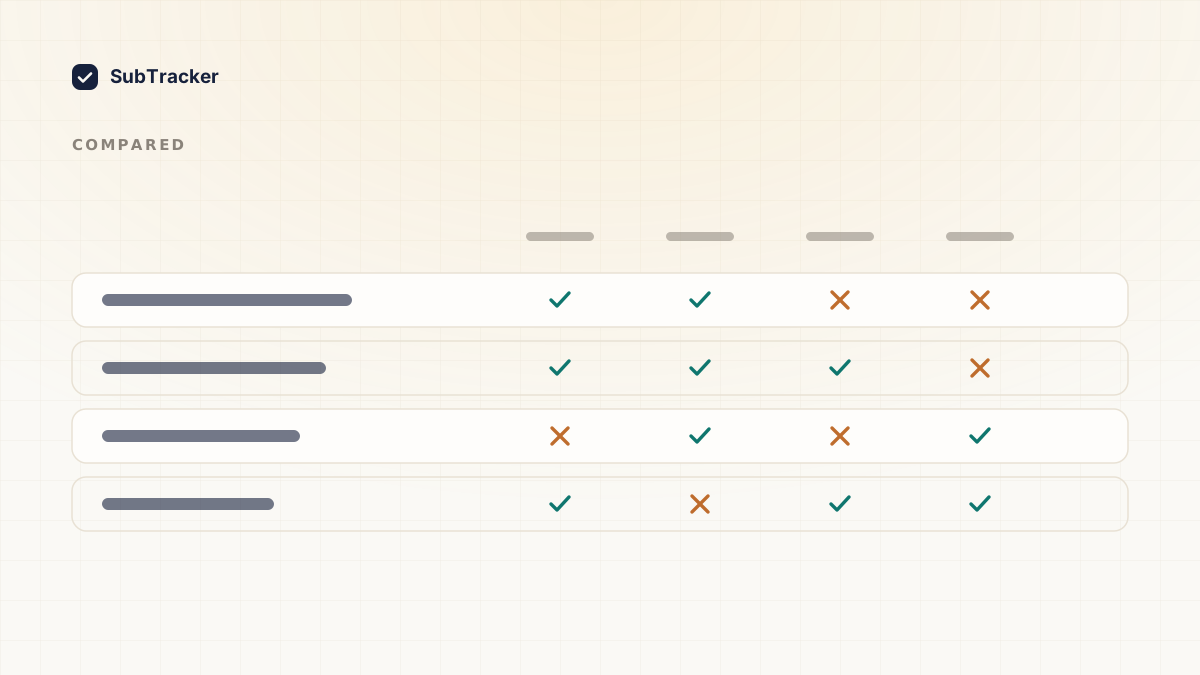
Most "best subscription tracker" lists rank ten apps that do fundamentally different things, which is why they are hard to act on. A bank-connected concierge and a spreadsheet are not competing products. They are different answers to different questions.
So this is organised by approach rather than by brand. Work out which category you want first, and the specific choice inside it gets much easier. If you are here because Mint shut down, this covers which replacement matches which job Mint used to do. What follows here is specifically about the subscriptions piece.
The four approaches
1. Bank-connected apps
You link your bank through an aggregator, and the app reads your transactions to find recurring charges. Rocket Money is the best known.
Good at: completeness. Every recurring charge shows up because it is reading the actual source. Many also cancel for you and negotiate bills.
Costs you: a live connection between a third party and your bank account. Usually a subscription fee, sometimes a cut of what they save you, which is a slightly odd incentive to sit downstream of.
Pick this if you want the work done for you and the access genuinely does not bother you.
2. Read-only trackers
These find your subscriptions from billing emails or an uploaded statement, with no bank connection. SubTracker is one of these, so read the rest of this section with that in mind.
Good at: covering most of what a bank connection covers without holding credentials that could be breached. Email scanning catches the ones you forgot, which is the category that actually costs money.
Costs you: they cannot cancel on your behalf. You get told what to cancel and get linked to the right page, but you press the button.
Pick this if you want to know where the money is going without a live link to your bank.
3. Spreadsheets
A sheet with name, cost, billing date and renewal type.
Good at: free, completely private, infinitely customisable. Genuinely a good answer for someone with ten subscriptions and the discipline to maintain it.
Costs you: it only knows what you tell it. It cannot find the trial you forgot about, which is the exact thing you needed help with. Most spreadsheets are abandoned within two months.
Pick this if you have a small, stable set of subscriptions and you actually enjoy this kind of upkeep.
4. Your phone's built-in list
iPhone and Android both show subscriptions billed through their app stores.
Good at: it is free, already there, and completely authoritative for what it covers.
Costs you: it only covers app store billing. Anything you signed up for on the web, through PayPal, or directly on a card is invisible. For most people that is the majority of their spend.
Pick this if you are doing a quick check rather than building a system. Everyone should do this once regardless, and the iPhone walkthrough covers it.
What actually matters when comparing
Once you have picked an approach, four things separate a tool you keep from one you abandon.
- Does it find things you did not tell it about? This is the whole value. A tool that only stores what you type is a spreadsheet with worse ergonomics.
- Does it warn you before the charge? Alerts after the fact are just a record of money you already lost. Renewal reminders are the feature that pays for the tool.
- Does it handle annual renewals? Annual charges are the most forgotten and the most expensive. Monthly ones you notice eventually.
- What happens when you stop paying for it? Check whether your data stays accessible on a free tier or is held hostage. This is worth knowing before you commit.
Multi-currency support matters if you pay for anything in a second currency, and shared workspaces matter if a household or team is splitting tools. Both are dealbreakers for the people who need them and irrelevant to everyone else.
Where SubTracker fits
Read-only tracker. Free tier covers up to five subscriptions permanently, which is enough for a real trial rather than a teaser. Paid tiers add unlimited subscriptions, email scanning and savings suggestions.
It will not cancel things for you. If that is the feature you came for, a concierge product is the better answer and you should use one.
What it is good at is the part people actually get stuck on: knowing the real total, seeing renewals coming, and being told which subscriptions are worth killing with the dollar amount attached.
The honest recommendation
If you have never done the audit, the tool matters less than doing it once. Pick anything, including a spreadsheet, and get the complete list in front of you. Almost everyone finds at least one charge they had forgotten, and that discovery usually pays for whatever you end up using.
Then pick the approach that matches how much access you will trade for how much automation. That is really the only decision here.
Want to see your list without connecting a bank? Start free, no credit card.