Rocket Money Alternatives That Do Not Need Your Bank Login
Rocket Money asks for your bank login before it can do anything. Here is why it needs that access, what the alternatives do instead, and how to choose based on what you are actually comfortable handing over.
Most people who go looking for a Rocket Money alternative are not unhappy with the product. They get to the setup screen, see a request for their online banking credentials, and stop. That hesitation is reasonable, and it is worth understanding what you are actually being asked for before you decide.
(If you are looking for a Truebill alternative specifically: Truebill renamed to Rocket Money in 2022, same company, same product, same bank-login requirement described below. Nothing to migrate away from, it is just a name change.)
Why it asks for bank access in the first place
Rocket Money's headline feature is that it cancels subscriptions for you and negotiates your bills. It cannot do either of those things from the outside. To cancel on your behalf it needs to see your transactions, and to negotiate it needs standing to act as you.
That access usually runs through an aggregator such as Plaid, which holds a connection to your bank on the app's behalf. It is a read connection rather than the ability to move money, and it is genuinely common infrastructure across fintech. But it is still a live link between a third party and your bank account, and "widely used" is not the same as "something you have to be comfortable with."
The trade is straightforward once you see it clearly. You hand over broad account access, and in exchange the product does work you would otherwise do yourself.
The three kinds of alternative
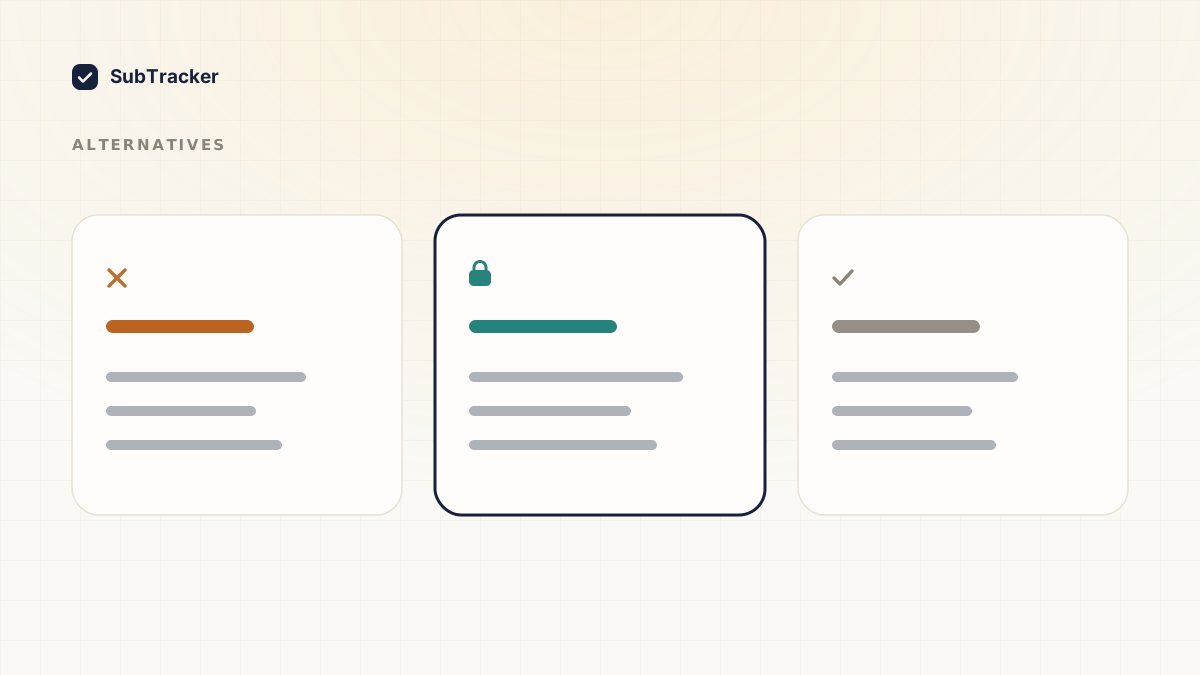
Nearly every option falls into one of three buckets, and they are not really competing with each other.
1. Full-access concierges. Same model as Rocket Money. Bank connection, automated cancellation, bill negotiation, and usually a cut of whatever they save you. Worth it if you want the work done for you and the access does not bother you.
2. Read-only trackers. These find and monitor your subscriptions without touching your bank. They tell you what to cancel and where, but you press the button. Less automated, much smaller blast radius if the company is ever breached. SubTracker sits here.
3. Spreadsheets. Free, private, and completely manual. Fine for a dozen subscriptions if you are disciplined about updating it. The failure mode is not the spreadsheet, it is that you stop maintaining it in month three.
Picking between them is mostly a question of how much access you will trade for how much automation.
What read-only actually means
The phrase gets used loosely, so it is worth being specific about what SubTracker does and does not have.
- Email scanning. Connect Gmail or Outlook and it reads billing emails to find recurring charges. Read-only, scoped to billing mail, tokens encrypted at rest. Disconnecting revokes access immediately.
- Statement upload. Export a PDF, CSV or XLSX from your bank yourself and upload it. There is no live connection, no stored credentials, and nothing that persists after the file is processed.
- Manual entry. Type them in. Takes a couple of minutes and shares nothing at all.
No bank login, no open banking connection, no ability to move money. The ceiling on what an attacker could get is your billing history, not your account.
The honest trade-off
Read-only means SubTracker cannot cancel anything for you, and that is a deliberate limit rather than a missing feature. Cancelling on your behalf would require exactly the access we are choosing not to hold.
What it does instead is remove the part that actually stops people. It tells you which subscriptions are worth cancelling, why, and what it will save you, then links you straight to the cancellation page for that service. Two clicks instead of fifteen minutes of hunting through account settings.
If you want the cancelling genuinely done for you and you are fine with the access that requires, a concierge product is the better fit. Nobody should pretend otherwise.
How to choose
Ask yourself three questions in order.
- Would I be comfortable if this company were breached tomorrow? Answer honestly for each option. That single question settles it for most people.
- Do I want the work done, or do I want to know what to do? Concierge products do the work. Trackers give you the list.
- Will I still be using this in six months? A tool that needs manual upkeep only works if you actually do the upkeep. This is where spreadsheets lose.
There is no universally correct answer here. There is only the amount of access you are willing to trade, and the honest version of that number is usually lower than the one you would give at a setup screen you are trying to get past.
Start with the list
Whichever direction you go, the first step is the same: find out what you are actually paying for. Most people are off by more than half, and you cannot evaluate any of this against a number you are guessing at. If you have not done that audit, how to find forgotten subscriptions walks through it.
Want the list without handing over your bank login? Start free and have it in about two minutes.